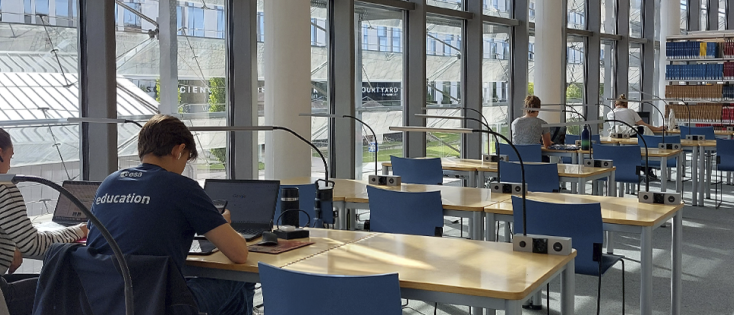
Study Desks
Online Reservation
TUM members can reserve study desks online. In addition to reservable places, there are still study desks without reservation option, which are also available to library visitors who are not affiliated with TUM.
With just a few clicks to your preferred place:
- Log in with your TUM ID on the reservation page.
- Select the desired spot and time slot, then submit the reservation.
- Receive a confirmation via email with your desk number and QR code for check-in.
Availability
Study desks are available to all library visitors. One-third of the desks can be booked online; the majority of places are available on a first come, first served basis.
| Location | Available Desks | Bookable Desks |
|---|---|---|
| Branch Library Main Campus | 656 | 252 |
| Branch Library Sport & Health Sciences | 79 | 21 |
| Branch Library Medicine | 104 | 19 |
| Branch Library Chemistry | 135 | 49 |
| Branch Library Mechanical Engineering | 230 | 119 |
| Branch Library Mathematics & Informatics | 194 | 84 |
| Branch Library Physics | 116 | 34 |
| Branch Library Weihenstephan | 350 | 79 |
| Branch Library Straubing | 50 | 24 |
Check-in
Please check in at the branch library for every online reservation:
- Scan the QR code from your confirmation email at the check-in station.
- A separate check-in is required for each time slot, even for back-to-back bookings.
- Check-in must be completed within 30 minutes.
- Reservations will be automatically canceled if you do not check in on time.
Terms & Conditions
Booking Quota & Usage Period
- Booking quota: 40 hours per week.
- Each booking reduces your quota by the book duration.
- The quota resets every Monday at midnight.
- Unused hours do not carry over to the following week.
Who can Reserve a Study Desk?
- TUM students and TUM staff.
- Reservations are non-transferable and may not be made on behalf of others.
How to Reserve?
- Reserve online via the reservation system.
- Log in with your TUM ID.
- Book up to 4 days in advance – same-day bookings are also possible.
When does my Reservation Expire?
- After 30 minutes, if you do not show up or fail to check in.
- If you are absent for more than 60 minutes or do not use a clock disc during breaks.
- Expired reservations will not be refunded to your booking quota.
What must I Observe when Using a Study Desk?
- Please mark your absence in the webinar carrel with our clock discs.
- Drinks are allowed in tightly sealed containers.
- No food or alcohol allowed.
- The University Library's House Rules apply.
Clock Discs for Break Times
Want to take a break and leave your study desk temporarily? That's fine, as long as:
- Your break does not exceed 60 minutes.
- You place a clock disc on your desk or in your group room to indicate your break time.
Clock discs are available in bins at all branch libraries. When leaving the library, please return them at the exit.
Important:
- If the 60-minute break is exceeded, other library visitors may move your belongings and use your spot.
- Desks and rooms without a clock disc may be reassigned.
- The University Library is not responsible for unattended personal items.
The binding provisions can be found in the Terms of Use: Reservation of Study Desks and Rooms.
Feedback
What do you think about the option to reserve study desks and rooms online? We would greatly appreciate your feedback. It helps us improve our booking service.